Direct answer: The quick version: spanish Audio to Text Free Online is easier than most people expect once you know the key facts. Details below.
Key takeaways:
- How Spanish Speech-to-Text Works: Spanish transcription uses the same speech recognition technology as English, trained on Spanish-language audio.
- Transcribing Spanish Audio Free Online: The free workflow is the same regardless of language: upload your audio file to a browser-based transcription tool, run the transcription, and review the
- Practical Tips for Better Spanish Transcripts: For clear, single-speaker Spanish it is generally good, Spanish’s regular pronunciation helps.
- Common Uses for Spanish Transcripts: For clear, single-speaker Spanish it is generally good, Spanish’s regular pronunciation helps.
- The right choice depends on your volume: occasional use favors free tiers, heavy use favors paid plans.
Spanish is one of the world’s most transcribed languages, interviews, podcasts, lectures, customer calls, and family voice messages all flow through it daily. Converting Spanish audio to text unlocks the same benefits as English transcription: searchable records, readable archives, subtitles, and content you can repurpose.
[ez-toc]This guide explains how Spanish speech-to-text works, what affects its accuracy (dialects, speed, and accents matter more than most people expect), and how to transcribe Spanish audio free online while keeping your recordings private. Note the honest caveat up front: not every transcription tool handles Spanish equally well, so always test with a real file before trusting a tool with important audio.
How Spanish Speech-to-Text Works
Spanish transcription uses the same speech recognition technology as English, trained on Spanish-language audio. Spanish is actually a favorable language for transcription: its pronunciation is highly regular (words sound the way they are spelled far more consistently than in English), which helps recognition engines map sounds to words accurately.
Modern multilingual transcription models handle Spanish well in the standard case, clear, single-speaker audio in a neutral accent. Where quality varies is at the edges: heavy regional accents, rapid conversational speech, code-switching between Spanish and English, and domain-specific vocabulary. A tool that transcribes a Mexican news broadcast flawlessly may struggle with rapid-fire Argentine conversation full of local slang.
What Affects Spanish Transcription Accuracy
Dialect and accent. Spanish varies enormously: the dropped consonants of Caribbean Spanish, the distinctive intonation of Rioplatense Spanish, the ceceo of parts of Spain. Tools trained mostly on one variant perform worse on others. If your audio is, say, Dominican Spanish, test specifically with Dominican Spanish, do not assume a good result on neutral-accent audio transfers.
Speech speed. Fast conversational Spanish (telenovela speed, excited sports commentary) challenges every tool. Slower, deliberate speech, lectures, presentations, transcribes far more cleanly.
Code-switching. Spanglish, mid-sentence switches between Spanish and English, confuses tools set to a single language. If your audio mixes languages, look for a tool that handles multilingual input, or transcribe in segments.
Audio quality. The usual rules apply: close microphones, quiet rooms, no crosstalk. Spanish’s regular phonetics cannot save a recording made across a noisy restaurant.
Proper nouns. Names of people, places, and brands are the top error source. A tool may render “Xochimilco” or “Etxebarria” creatively. Verify names against the audio.
Transcribing Spanish Audio Free Online
The free workflow is the same regardless of language: upload your audio file to a browser-based transcription tool, run the transcription, and review the output. Processing in the browser, no signup, no server upload, keeps private recordings (interviews, family messages, client calls) off third-party servers.
(Disclosure: TranscriptionAid is our own tool.)
Try It Free Below
[TOOL EMBED HERE]
Before you commit to a tool, run this 5-minute test:
- Take a 2–3 minute sample of your actual audio, same speaker, same accent, same recording conditions as the real files.
- Transcribe it with the tool you are evaluating.
- Count the errors that matter: wrong words in key sentences, mangled names, missed numbers. Ignore trivial punctuation.
- If the sample is clean, the tool handles your Spanish variant. If it is rough, try another tool or plan for heavier manual correction.
This test matters more for Spanish than for English, because language support quality varies widely between tools and is rarely documented honestly. Never trust a tool’s marketing claim about “50+ languages”, trust your sample test.
Practical Tips for Better Spanish Transcripts
- Set the language explicitly. If the tool offers a language selector, choose Spanish rather than relying on auto-detect. Auto-detect sometimes misfires on short clips or mixed audio.
- Normalize volume and trim silence. Quiet recordings and long pauses degrade results in every language.
- Build a term list. For recurring vocabulary, technical terms, brand names, place names, keep a correct-spelling list and search-replace after transcription. This is faster than fixing each occurrence by hand.
- Handle accents in text. Proper Spanish uses accents (á, é, í, ó, ú, ñ, ü). Some tools output unaccented text; a spellchecker set to Spanish restores most of them automatically.
- Verify numbers and dates. “Quince” vs. “cinco,” dates, and phone numbers deserve a listen-back, a wrong digit is worse than no transcript.
- Keep the audio. Transcripts are working copies. Archive the original recording until the transcript has served its purpose.
Common Uses for Spanish Transcripts
- Interviews and research. Transcribing Spanish-language interviews for qualitative research, journalism, or oral history projects.
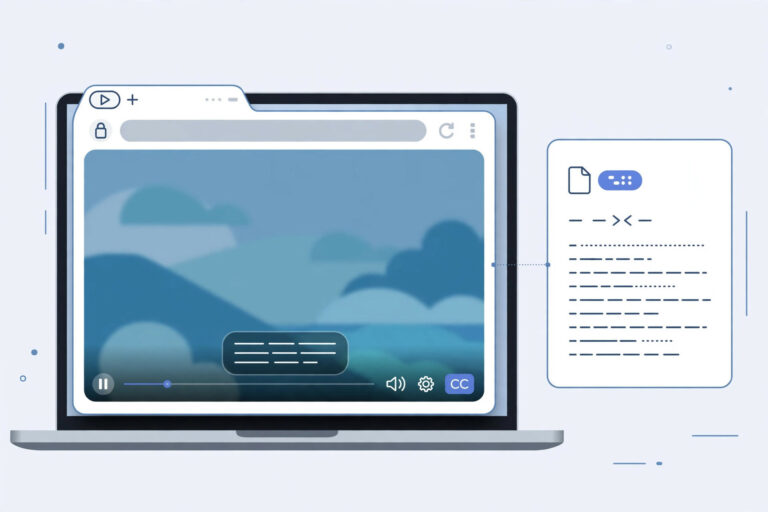
- Subtitles. Spanish transcripts convert easily to SRT/VTT subtitle files for videos and courses.
- Meeting and call records. Searchable text from Spanish-language meetings and customer calls.
- Content repurposing. A Spanish podcast episode or webinar becomes blog posts, show notes, and social quotes once transcribed.
- Study notes. Transcribing Spanish-language lectures for review, the same as any other language.
- Accessibility. Transcripts make audio content accessible to deaf and hard-of-hearing audiences.
Frequently Asked Questions
Is free Spanish transcription accurate?
For clear, single-speaker Spanish it is generally good, Spanish’s regular pronunciation helps. Accuracy drops with strong regional accents, fast speech, background noise, and code-switching. Always test with a sample of your actual audio rather than trusting general claims.
Do transcription tools handle all Spanish dialects equally?
No. Performance varies by dialect because training data is uneven. Mexican and Peninsular Spanish are usually well covered; Caribbean, Andean, and Rioplatense varieties may perform worse depending on the tool. Test with your specific variant.
Can I transcribe Spanglish or mixed Spanish-English audio?
It depends on the tool. Some multilingual models handle code-switching reasonably; single-language models produce garbled output at the switch points. If your audio mixes languages heavily, test a sample first, this is the case most likely to disappoint.
What file formats work for Spanish audio transcription?
The same as any language: MP3, M4A, WAV, OGG, and video files like MP4. The language of the speech does not change which formats a tool accepts.
How do I add accents (tildes) to a Spanish transcript?
Run the transcript through a Spanish-language spellchecker (most word processors and browser extensions include one), it restores the majority of accents automatically. Then proofread names and unusual words by hand.
Is my Spanish audio private when I transcribe it online?
Only if the tool processes it on your device. Tools that upload audio to servers create a copy of your recording on infrastructure you do not control. For sensitive material, interviews, legal matters, personal messages, prefer a browser-based tool with no upload, and read the privacy policy before you trust it.
Conclusion
Spanish audio-to-text is a solved-enough problem for everyday use: clear recordings transcribe well, and free browser-based tools handle the job without accounts or uploads. The one thing you must do, for Spanish more than most languages, is test before you trust. Run a sample of your actual audio, with your actual accent, through the tool, and judge the result with your own ears.
Do that five-minute test, and Spanish transcription becomes as routine as English: recordings in, searchable text out, ready for subtitles, study notes, archives, or whatever your audio was waiting to become.
Related guide: How to Transcribe French Audio to Text