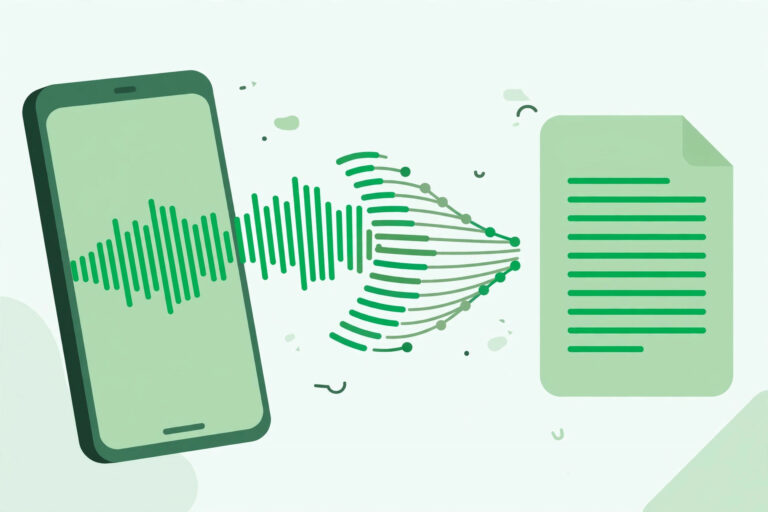
Direct answer: The easiest way to transcribe with OpenAI Whisper is to upload your file to a browser tool that runs it for you — no install needed. If you want it free and private, install Whisper on your own computer with Python and FFmpeg. Developers should use the API with the gpt-transcribe model, not the old whisper-1 model, which shuts down in February 2027.
Key takeaways:
- Whisper is a free, open-source speech-recognition model, not an app — you run it or use a tool that runs it.
- Local install:
pip install -U openai-whisperplus FFmpeg, thenwhisper audio.mp3 --model turbo. - Six models, from tiny (39M) to large (1.55B) — turbo is the default and the best balance.
- The API’s recommended model is now gpt-transcribe — whisper-1 is deprecated.
- Whisper does not identify speakers — multi-speaker audio comes back as continuous text.
[ez-toc]
What Is OpenAI Whisper?
Whisper is a speech-recognition model OpenAI released as open source in September 2022, under the MIT license — free to use, including commercially. It was trained on 680,000 hours of audio, and the large-v3 model on more than 5 million hours. It transcribes in 99 languages, detects the language of a recording, and can translate non-English speech into English.
Whisper is a model, not an app. On its own it has no upload button and no editor. To use it, you either install it yourself, call it through an API, or use a product that runs it for you. That distinction matters: when a transcription tool says it is “powered by Whisper”, it means it runs this model behind its own interface.
Three Ways to Transcribe with Whisper
1. Browser tool — fastest, no setup
Upload the file to a transcription tool in your browser and pick Whisper as the engine where offered. This is the right route if you have one file and no interest in installing anything. TranscriptionAid’s free tool handles this workflow in the browser with no signup, and several other tools run Whisper the same way. For the wider tool landscape, see our guide to how AI transcription works and our roundup of the best transcription software for long audio. You trade control for convenience: you cannot pick the model size, and your audio goes to a third-party server.
2. Local install — free and private
Install Whisper on your own computer. You need Python 3.8 or newer and FFmpeg, then:
pip install -U openai-whisper
whisper audio.mp3 --model turbo
The first run downloads the model (turbo is about 809 MB). Your audio never leaves your machine, which suits sensitive recordings. The catch is speed: on a normal laptop CPU without a GPU, transcription runs slower than real time, and the large model needs around 10 GB of GPU memory. Faster variants exist — faster-whisper and whisper.cpp run the same models more efficiently — but the official package is the simplest start.
3. API — for developers and apps
Send the file to OpenAI’s Transcriptions API. The recommended model is now gpt-transcribe. The older whisper-1 model, along with gpt-4o-transcribe, gpt-4o-mini-transcribe, and gpt-4o-transcribe-diarize, is deprecated and shuts down on 26 February 2027, so do not build anything new on it.
Files can be up to 25 MB, in formats including MP3, WAV, M4A, MP4, FLAC, and OGG. Split longer recordings into chunks under that limit, and avoid splitting in the middle of a sentence. With gpt-transcribe you can pass a prompt, keywords, and expected languages to improve recognition of names and technical terms — useful when a recording is full of product names or acronyms. Our guide to using a speech-to-text API covers the API workflow in more depth.
Which Whisper Model Should You Pick?
| Model | Parameters | VRAM | Speed | Best for |
|---|---|---|---|---|
| tiny | 39M | ~1 GB | ~10x | Quick drafts, weak hardware |
| base | 74M | ~1 GB | ~7x | Everyday files on a laptop |
| small | 244M | ~2 GB | ~4x | Better accuracy, still light |
| medium | 769M | ~5 GB | ~2x | Good accuracy, translation to English |
| large | 1550M | ~10 GB | 1x | Highest accuracy |
| turbo | 809M | ~6 GB | ~8x | Best balance — the default |
The .en versions (tiny.en, base.en, small.en, medium.en) are English-only and tend to perform better on English audio. Turbo is the command-line default and the model most people should start with — near-large accuracy at a fraction of the time. One warning: turbo is not trained for translation. To translate non-English speech into English, use medium or large with --task translate.
Tips for Best Results
Start with clean audio. Whisper handles accents and noise better than older systems, but a close microphone and a quiet room still beat any model setting. Recordings from a phone in a pocket will always need more correction than a proper microphone.
Name the language when you know it. Whisper detects language from the first 30 seconds, but passing --language (for example, --language Japanese) avoids misdetection on short clips or mixed-language recordings.
Use prompts for names and terms. With the API, a short prompt listing product names, acronyms, and spellings improves recognition of exactly those words. Keep the list short — whisper-1 prompts cap at 224 tokens, and even with gpt-transcribe, only relevant terms belong in the hint.
Translate with the right model. For English output from a non-English recording, use medium or large. Turbo returns the original language even when you ask it to translate.
For the file-upload workflow, our guide to transcribing MP3 files covers the basics, and our guide to transcribing YouTube Shorts shows the same idea applied to short video.
Limitations & Edge Cases
- No speaker identification. Whisper does not recognize speakers. A two-person interview comes back as continuous text with no separation, so label speakers yourself afterwards or use a tool with diarization.
- No streaming in the local package. The open-source tool processes whole files, not live audio. For live captions or real-time transcription, use a streaming API or a dedicated tool instead.
- Accuracy varies by language. OpenAI says so directly in the project documentation: performance differs widely across languages. Major languages transcribe well; less common ones need a review pass.
- Local speed depends on hardware. Without a GPU, large models run slowly on a CPU. If a one-hour file takes longer than an hour to transcribe locally, switch to turbo, a faster implementation, or the API.
Frequently Asked Questions
Is OpenAI Whisper free?
Yes, the model is free and open source under the MIT license. You download it and run it on your own computer at no cost beyond your hardware and electricity. Hosted use through the API is paid, and browser tools that run Whisper charge their own rates.
How do I install Whisper?
Install Python and FFmpeg, then run pip install -U openai-whisper. Note the package name: pip install whisper installs an unrelated project. Then transcribe a file with whisper audio.mp3 --model turbo.
Which Whisper model is best?
Turbo is the best starting point for most people — near-large accuracy at about 8x the speed. Use large when accuracy matters most and you have a GPU with around 10 GB of memory. Use tiny or base for quick drafts on weak hardware.
Can Whisper translate speech to English?
Yes, except with the turbo model. Use medium or large with --task translate to translate non-English speech into English. Turbo returns the original language even when asked to translate.
What is the difference between Whisper and whisper-1?
Whisper is the open-source model you run yourself. Whisper-1 was OpenAI’s hosted API model of the same family. Whisper-1 is deprecated and shuts down on 26 February 2027; OpenAI recommends gpt-transcribe for new API projects.