
[ez-toc]
Real-time transcription turns speech into text while the person is still speaking, so the words appear on screen seconds after they are said. It powers live captions for meetings, broadcasts, and events, and it is different from transcribing a finished recording: the system must work with incomplete audio, revise its guesses as more context arrives, and keep up with the speaker without falling behind. This guide explains how real-time transcription works, what latency and accuracy mean in a live setting, and where its limits are. It is not a list of software and it is not a step-by-step guide for one meeting app.
For a comparison of software for events, see our guide to the best real-time captioning software for events. For the steps to turn on live captions in one specific app, see our guide on Zoom live captions. This guide covers the technology that sits underneath both: streaming speech recognition, partial and final results, speaker labels, and caption delay.
What Real-Time Transcription Is
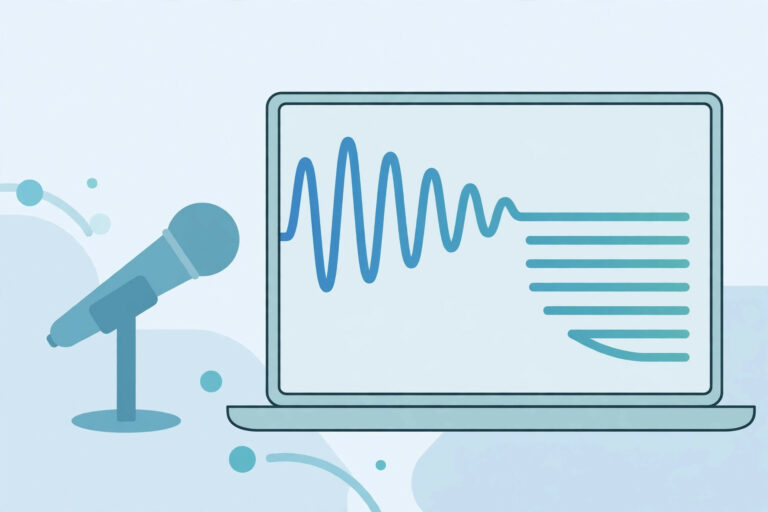
Real-time transcription, also called live transcription, is the conversion of speech to text as the audio arrives, with only a short delay. Live captions are the visible form of it: text shown on screen, synchronised with the audio, for people who cannot hear it or who read better than they listen. Captions provide a text version of the speech and the non-speech audio needed to understand the content, displayed within the media player and synchronised with the audio, as explained in the W3C guidance on captions. A live transcript is the same text kept as a running record, which can be saved, searched, and edited after the event.
The key difference from file transcription is that the system cannot wait for the end of a sentence, let alone the end of a recording, before it starts. It must produce text from the first seconds of audio, using only what it has heard so far. That constraint shapes every other choice in a real-time system: how much context it uses, how often it revises its output, and how it handles silence, overlap, and speaker changes.
How Streaming Speech Recognition Works
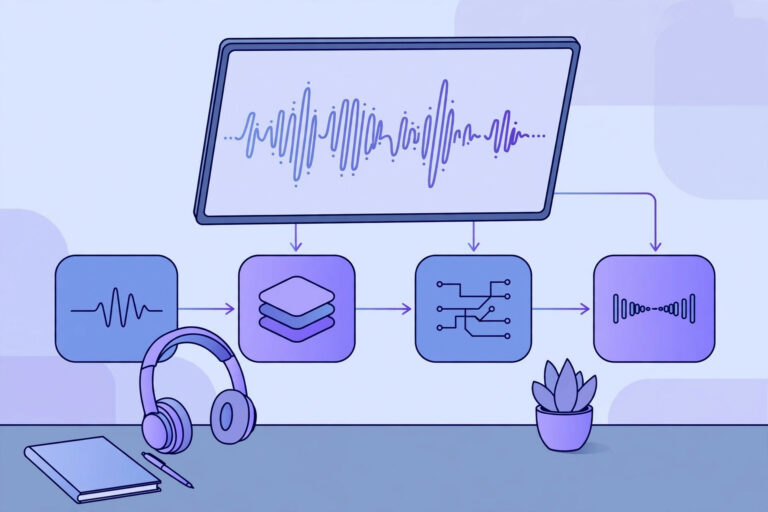
A real-time system receives audio in small chunks, often a fraction of a second each, and processes each chunk as it arrives. The acoustic model, which matches sounds to speech units, works on the latest chunk plus a short window of recent audio. The language model, which chooses likely words, uses the words already recognised in the current sentence. As more audio arrives, the system can revise earlier words: a word shown provisionally may change when the next words make a different reading more likely. This is why live captions sometimes show a word and then correct it a moment later.
The underlying models are the same kind as those used for file transcription, described in our guide on how AI transcription works. The difference is the decoding strategy: a file system can look ahead to the end of a sentence before it commits to a word, while a streaming system must commit sooner, with less future context. That trade-off is the central fact of real-time transcription. More look-ahead means better accuracy but more delay. Less look-ahead means faster captions but more revisions and errors.
Partial Results, Final Results, and Latency
Real-time systems emit two kinds of result. A partial result is provisional text for the current sentence, which may still change. A final result is text for a completed segment, usually when the speaker pauses or the system is confident enough to commit. Software that shows live captions must handle both: display partial text as it arrives, replace it when the final text arrives, and never treat a partial result as a finished record. If you save a live transcript, save the final results, and mark any passage that was still partial when the event ended.
Latency is the delay between a word being spoken and its caption appearing. It includes the time to capture and send the audio, the time for the model to process it, and the time to display the text. Typical caption latency is a few seconds, and it grows when the audio is noisy, when the speaker is fast, or when the network is slow. A caption that arrives three seconds late is still useful for following a talk. A caption that arrives thirty seconds late, or in large blocks, is hard to follow, even if the words are accurate. When you test a real-time system, measure latency with a stopwatch on a real call, not only accuracy on a clean file.
Speaker Labels and Overlapping Speech in Live Settings
Speaker labels in a live setting are harder than in a file, because the system must decide who is speaking from only a few seconds of audio, without hearing the whole recording first. Speaker diarization in real time usually labels turns as Speaker 1, Speaker 2, and so on, and a human or a later process replaces those labels with names. When two people speak at once, the system will usually transcribe one voice and lose the other, or mix words from both into one stream. In meetings, the practical fix is behaviour, not technology: one person at a time, a short pause when the speaker changes, and names spoken at the start of a contribution.
For the general principles of diarization and why labels need checking, see our guide to speaker diarization. In a live setting, do not rely on automatic labels for decisions that need an exact record of who said what, such as a vote or a commitment. Use the live transcript to follow the discussion, and produce a checked record afterwards from the recording and the final transcript.
Accuracy in Real Time: What to Expect
Real-time accuracy is usually lower than file accuracy on the same audio, because the system has less context and less time. The gap is small for a single speaker in a quiet room with clear speech, and large for a noisy panel discussion with several speakers, accents, and specialist terms. Names, numbers, and technical terms are the most likely errors, just as in file transcription, and they are harder to catch live because the reader has no time to pause and check. The W3C captions guidance is clear on this point: automatically generated captions do not meet user needs unless they are confirmed to be fully accurate, and they usually need significant editing. Automatic captions are a starting point, not a finished accessible record.
To improve live accuracy, use a good microphone close to the speaker, reduce background noise, and speak at a steady pace. If the system allows it, supply expected names and terms before the event, and set the correct language. Test with the actual room, the actual microphones, and the actual speakers, not with a clean recording made elsewhere. A test in the real setting will show the true latency and the true error pattern, including any words that the system consistently mishears.
Live Captions, CART, and Human Captioners
Not all live captions are automatic. Communication Access Realtime Translation, known as CART, uses a trained human captioner who listens and types the speech in real time, often with a stenotype keyboard. CART is usually more accurate than automatic captions, especially for names and specialist terms, but it needs a skilled captioner and costs more. Some events use a hybrid: automatic captions for everyday sessions and a human captioner for keynote sessions, formal proceedings, or any session where the caption is the only access route for an audience member. The choice depends on the audience, the stakes, and the budget, not only on the technology.
For accessibility, the standard matters more than the method. Captions for live content are required at a higher accessibility level than captions for pre-recorded content, because a live audience has no later version to wait for. If you publish a recording of a live event, edit the captions afterwards for accuracy, because the live version will contain errors and revisions that should not be kept as the permanent record. Our guide on captions, transcripts, and accessibility explains how captions and transcripts fit together for recorded media.
When to Use Real-Time Transcription and When Not To
Use real-time transcription when people need to follow speech as it happens: live meetings, lectures, broadcasts, and events with an audience that reads captions. Use file transcription when the exact wording matters and there is time to check it: legal records, research interviews, published articles, and any transcript that will be quoted. For many events, the right answer is both: live captions during the event, and a checked transcript afterwards from the recording. The live version serves the audience in the moment, and the checked version serves as the record.
Do not use an unedited live transcript as evidence, as a contract record, or as the sole basis for a decision that depends on exact wording. A word changed by a revision, a name misheard live, or a sentence lost to overlap can change the meaning. Keep the recording, keep the final transcript, and check any passage that matters against the audio before you rely on it.
Conclusion
Real-time transcription works by processing audio in small chunks, emitting provisional partial results and revising them into final results as context arrives. Its central trade-off is latency against accuracy: faster captions use less context and need more revision, while slower captions are more accurate but harder to follow. Speaker labels and overlapping speech are harder live than in a file, and automatic captions need editing before they can serve as an accessible record. Use live transcription to follow speech in the moment, and a checked transcript from the recording as the record afterwards.
How much delay do live captions have?
Usually a few seconds, depending on audio quality, network delay, and how much context the system waits for. Measure it on a real call in the real room, not on a clean test file.
Why do live captions change words after showing them?
Because the first text is a partial result based on limited context. As more audio arrives, the system revises its guess and replaces the provisional text with a final result.
Are automatic live captions enough for accessibility?
Not on their own. Automatic captions usually need editing to be fully accurate, and for high-stakes events a human captioner or a checked transcript afterwards is the safer choice.
Limitations & Edge Cases
- Speed and accuracy pull in opposite directions. Early partial results appear quickly and are then revised, so acting on the first words shown — rather than waiting for the finalised text — can mean acting on words that change.
- Live captions struggle most exactly where people need them: noisy rooms, overlapping speech, and poor microphone placement. They are not a substitute for human captioning where accuracy is a legal or accessibility requirement.
- Speaker labels are unstable live: the same speaker can be relabelled mid-meeting, and a newcomer may be merged with whoever spoke before them.
- A live transcript that is not saved before the session ends may be lost, depending on the platform. Confirm in advance how saving works and who is allowed to do it.
Real-time transcription is at its best as a live aid to following along. Treat the saved text as a draft to be checked, not as the meeting record, until someone has reviewed it.
What is real-time transcription?
Real-time transcription, also called live transcription, is the conversion of speech to text as the audio arrives, with only a short delay. Live captions are the visible form of it, shown on screen synchronised with the audio, and a live transcript is the same text kept as a running record, which can be saved, searched, and edited after the event.
What is the difference between a partial result and a final result?
A partial result is provisional text for the current sentence, which may still change. A final result is text for a completed segment, usually when the speaker pauses or the system is confident enough to commit. If you save a live transcript, save the final results, and mark any passage that was still partial when the event ended.
How much delay do live captions have?
Usually a few seconds, depending on audio quality, network delay, and how much context the system waits for. Measure it on a real call in the real room, not on a clean test file.
Why do live captions change words after showing them?
Because the first text is a partial result based on limited context. As more audio arrives, the system revises its guess and replaces the provisional text with a final result.
Are automatic live captions enough for accessibility?
Not on their own. Automatic captions usually need editing to be fully accurate, and for high-stakes events a human captioner or a checked transcript afterwards is the safer choice.