Direct answer: Transkriptor is a minute-based AI transcription tool with a meeting bot, AI summaries, and 100+ languages. Plans start at $9.99 a month for 300 minutes, and the free trial covers 90 minutes. It suits meeting-heavy teams and multilingual work; the minute allowance is the limit to watch.
Key takeaways:
- Free trial: 90 minutes in total, no credit card required (as reported).
- Lite $9.99 a month (300 minutes); Pro $19.99 a month, or $8.33 a month billed yearly.
- Meeting bot joins Zoom, Google Meet, and Microsoft Teams calls automatically.
- 100+ languages, translation to 100+ languages, and a 50% education discount.
- Unused minutes expire after one month — they do not roll over.
[ez-toc]
What Is Transkriptor?
Transkriptor is a cloud-based AI transcription platform. You upload audio or video files, paste a YouTube link, or let its meeting bot join a call, and you get back a speaker-labeled transcript with timestamps. Beyond the transcript it adds AI summaries with action items, an AI chat that answers questions across your saved transcripts, and subtitle generation.
The vendor reports more than 85 million minutes processed, over 5 million app downloads, and more than 360,000 meetings transcribed. Its homepage claims up to 99% accuracy across 100+ languages. That figure is the company’s own claim, not an independently audited benchmark, and accuracy on your recordings will still depend on audio quality, accents, and overlapping speech.
Transkriptor works in the browser and on iOS and Android, with a Chrome extension for recording from the browser. It connects with Zoom, Google Meet, Microsoft Teams, Salesforce, HubSpot, Slack, Notion, Google Drive, and Dropbox, so meeting output flows into the tools a team already uses.
How We Evaluated Transkriptor
This is a research-based review, not a lab test. We evaluated Transkriptor across five dimensions using publicly documented product information: pricing, features, accuracy claims, language support, and the limits that affect daily use. The vendor’s own pages carry inconsistent free-trial wording — the pricing FAQ names a 90-minute free option while the homepage mentions 30 minutes a day — so the free figure in this review is flagged for re-checking at publish time. Nothing in this review comes from a hands-on test by this site.
Transkriptor Key Features
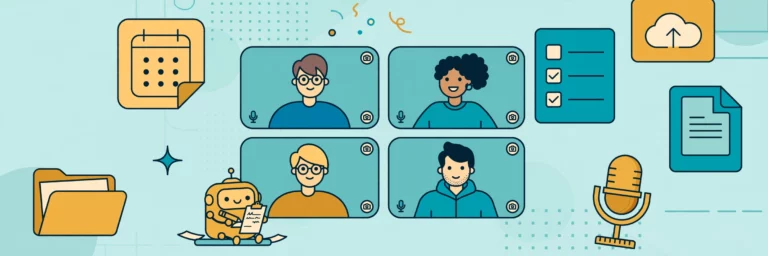
Meeting bot. The bot joins Zoom, Google Meet, and Microsoft Teams calls from your calendar, records, and delivers a transcript with an AI summary. If you prefer the file route for Zoom calls, our guide to transcribing a Zoom meeting recording covers that workflow. Calendar sync means you do not have to remember to start anything. Note that Transkriptor does not offer live captions during calls — transcripts arrive after the meeting.
AI summaries and chat. Every meeting can produce a summary with action items, and the AI chat searches across your transcript library to find decisions, quotes, and answers with cited sources. Team plans add custom summary templates, call analysis (speaker talk time, sentiment detection), and a knowledge base built from multiple files.
100+ languages and translation. Transcription and translation both cover 100+ languages, with custom vocabulary on Team plans for product names, medical terms, and technical jargon. That vocabulary support extends to every language the tool transcribes.
File and link transcription. Uploads cover 20+ formats including MP3, MP4, WAV, AAC, and WEBM. You can also transcribe a YouTube video from a link, transcribe WhatsApp messages in the mobile app, and pull files from Google Drive, OneDrive, and Dropbox. Exports include TXT, SRT, Word, and plain text, plus subtitles.
Security. The platform lists SOC 2, GDPR, ISO 27001, SSL, and HIPAA compliance. Pro plans and above state that customer data is not used for training.
Transkriptor Pricing
| Plan | Price | Key limits |
|---|---|---|
| Free trial | $0 | 90 minutes total (as reported). |
| Lite | $9.99 a month | 300 minutes a month. |
| Pro (monthly) | $19.99 a month | 2,400 minutes a month. |
| Pro (yearly) | $8.33 a month, $99.99 billed yearly | 2,400 minutes a month. |
| Team (monthly) | $30 a month per seat | 3,000 minutes a month per seat. |
| Team (yearly) | $20 a month per seat, $240 billed yearly | 3,000 minutes a month per seat. |
(Prices checked 15 November 2026 on the vendor pricing page.)
Two things to know. First, minutes expire after one month — unused minutes do not roll over, so a quiet month wastes the allowance. Second, students and educators get 50% off all plans, which makes Pro the cheapest way into the full feature set for academic work. Bulk-hour bundles and custom Enterprise pricing are also available.
Strengths: What Transkriptor Gets Right
The meeting bot plus AI summaries is the strongest combination here. A bot that joins from the calendar, transcribes, and hands you action items removes the whole manual workflow of recording, uploading, and summarizing. For teams that live in meetings, that is the feature that justifies the price.
Language depth is the second strength. More than 100 languages with translation, plus custom vocabulary in every language, covers use cases most competitors handle thinly — research interviews, multilingual teams, and lectures in less common languages.
The third is price at the low end. Lite at $9.99 a month and Pro at $8.33 a month on yearly billing are among the cheapest minute-based rates for the feature set, and the education discount halves them again.
Limitations & Edge Cases
- Minutes expire monthly. Unused minutes do not roll over, so the allowance is use-it-or-lose-it. A month with two long meetings and little else still costs the full plan price.
- No live captions. Transcripts arrive after the meeting, not during it. If you need captions while a call is happening, this is the wrong tool.
- Minute allowances cap heavy users. Lite covers about five hours a month. Podcasters and research teams with long recordings will outgrow Lite fast and need Pro or bulk bundles.
- Free-trial wording is inconsistent. The vendor’s own pages describe the free option differently in different places. Confirm the current free allowance on the pricing page before promising it to anyone.
Try the free trial on your own recordings before paying, and check the minute allowance against a normal month of your work. A plan that fits on paper can still run out mid-month if your meetings run long.
Who Should Use Transkriptor, and Who Should Skip It
Use it if your work is meeting-heavy and multilingual — teams on Zoom, Meet, or Teams who want automatic transcripts, summaries, and action items without manual uploads. Students and educators should use the 50% discount, which makes it one of the cheapest options in its class.
Skip it if you need live captions, if your volume swings wildly month to month (the expiring minutes will punish quiet months), or if you need unlimited transcription at a flat rate. In that case, a flat-rate tool such as the one in our TurboScribe review, or a meeting-first tool such as the one in our Otter.ai review or the meeting assistant in our Fireflies.ai review, may fit better. For a broader comparison, see our guide to how AI transcription works and our roundup of the best transcription software for long audio.
Transkriptor Review Verdict
Transkriptor is a strong meeting transcription tool at a fair price: a bot that joins your calls, AI summaries that save the re-listen, and language coverage few competitors match. The minute allowance and the missing live captions are the real limits. If your meetings are regular and your languages are varied, Pro on yearly billing is good value. If your volume is uneven, watch the expiring minutes.
Is Transkriptor free?
Transkriptor offers a 90-minute free trial, as reported. Paid plans start at $9.99 a month for Lite with 300 minutes. Note that the vendor’s own pages describe the free option differently in places — check the pricing page for the current figure before signing up.
How accurate is Transkriptor?
The vendor claims up to 99% accuracy across 100+ languages. That is the company’s own claim. Real accuracy depends on audio quality, accents, overlapping speech, and the number of speakers.
Which languages does Transkriptor support?
Transcription and translation in 100+ languages, with custom vocabulary on Team plans for specialized terms in any of those languages.
Does Transkriptor have a meeting bot?
Yes. The bot joins Zoom, Google Meet, and Microsoft Teams calls from your calendar, records, and delivers a transcript with an AI summary. It does not provide live captions during the call.
What is the difference between Transkriptor and Otter.ai?
Transkriptor is built around file transcription plus a meeting bot, with minute-based pricing and very wide language coverage. Otter.ai is built around live meeting capture, notes, and team collaboration. Pick Transkriptor for multilingual files and summaries; pick Otter.ai for live meetings and shared notes.