Direct answer: The quick version: descript Transcription Free Alternative is easier than most people expect once you know the key facts. Details below.
Key takeaways:
- Descript’s Free Plan: What You Get (and Where It Ends): Descript’s free plan exists mainly as a trial of the full editing platform.
- What to Look for in a Free Descript Alternative: Pricing and free-tier limits change often, check each official site for the current terms.
- Free Alternatives Compared: Pricing and free-tier limits change often, check each official site for the current terms.
- How to Transcribe a Podcast Episode for Free Without Descript: Since this is the most common use case, here’s a straightforward workflow that costs nothing:
- The right choice depends on your volume: occasional use favors free tiers, heavy use favors paid plans.
Descript is a popular all-in-one audio and video editor built around editing media by editing its transcript. But many people come to it just for transcription, and then discover that the free plan’s transcription allowance runs out quickly. If you’re looking for a descript transcription free alternative, this guide explains Descript’s free-plan limits in plain terms and compares genuinely free alternatives, including options that need no signup at all. It also covers the closely related question: how to transcribe a podcast episode for free without Descript.
[ez-toc]
Descript’s Free Plan: What You Get (and Where It Ends)
Descript’s free plan exists mainly as a trial of the full editing platform. In general terms, it includes a limited amount of transcription time, enough to test the workflow on a short project, but not enough for regular use. The exact limits change from time to time, so check Descript’s official pricing page for the current numbers before you plan around them.
The pattern most users hit looks like this:
- You sign up, upload a podcast episode or video, and get an impressively editable transcript.
- You use up the free transcription allowance on one or two longer files.
- From there, continued transcription requires a paid plan.
That makes Descript a fine choice if you want its signature feature, editing audio and video by editing text, but a frustrating one if transcription alone is all you need. If your goal is simply “audio in, text out,” there are cheaper (and free-er) ways to get there.
What to Look for in a Free Descript Alternative
- Free transcription that stays free. Not a trial allowance, a tool you can keep using.
- Large file support. Podcast episodes and videos run long; minute caps are the main free-tier trap.
- Timestamps and exports. Timestamps for editing and SRT/VTT exports for captions.
- No mandatory signup if you want a quick one-off job done.
- Privacy. Browser-based or local processing keeps your audio off other companies’ servers.
Free Alternatives Compared
| Tool | Free tier | Best for | Notable trade-off |
|---|---|---|---|
| TranscriptionAid | Free, no signup, large files | Fast, private transcription with timestamps | No audio/video editing, transcription only |
| Microsoft 365 / Word transcription | Included with many Microsoft 365 plans | Transcribing on a plan you already pay for | Requires Microsoft account; cloud upload |
| Google Docs voice typing | Free with a Google account | Short clips and live dictation | Not built for recorded files or long episodes |
| Whisper (local, open-source) | Free and unlimited | Offline, private, high-quality transcription | Technical setup; slow on older computers |
| Otter.ai (free tier) | Limited monthly minutes | Live recordings with speaker labels | Free minutes run out fast on long episodes |
| Riverside / similar recorders | Varies; often trial-based | Recording + transcription in one workflow | Usually not free for ongoing use |
Pricing and free-tier limits change often, check each official site for the current terms.
How to Transcribe a Podcast Episode for Free Without Descript
Since this is the most common use case, here’s a straightforward workflow that costs nothing:
- Export or locate your episode audio. MP3, WAV, or M4A all work with most tools.
- Use a free browser-based transcriber. Open TranscriptionAid, load the episode, and let it transcribe on your device, no signup, no upload, and large files are fine. (Disclosure: TranscriptionAid is our own tool.)
- Export with timestamps. SRT or VTT exports give you a transcript you can edit, publish as show notes, or convert into captions.
- Edit the transcript yourself. A quick pass to fix names, brand terms, and jargon gets you most of the way to a publishable result.
If you specifically need Descript-style editing by editing the transcript, the free alternatives above won’t replace that, that’s Descript’s unique feature and a fair reason to pay for it. But if you only need the transcript itself, a free tool does the job.
Alternative-by-Alternative Notes
TranscriptionAid is the closest thing to “transcription without the baggage”: free, no account, browser-based, large-file friendly, with timestamped SRT/VTT exports. What you don’t get is any editing suite, it’s deliberately a transcription tool, not a Descript clone.
Whisper (local install) is the power-user pick: unlimited, offline, excellent multilingual quality. The cost is setup time and processing speed on modest hardware.
Word’s transcription works well if you already live in Microsoft 365, and Google Docs voice typing handles short clips in a pinch. Otter.ai’s free tier is fine for occasional live recordings but the minute cap makes it a poor Descript replacement for podcasters with a backlog.
What Makes Descript Hard to Replace
Before the alternatives, it’s worth naming what Descript actually does, because “Descript alternative” means different things to different creators:
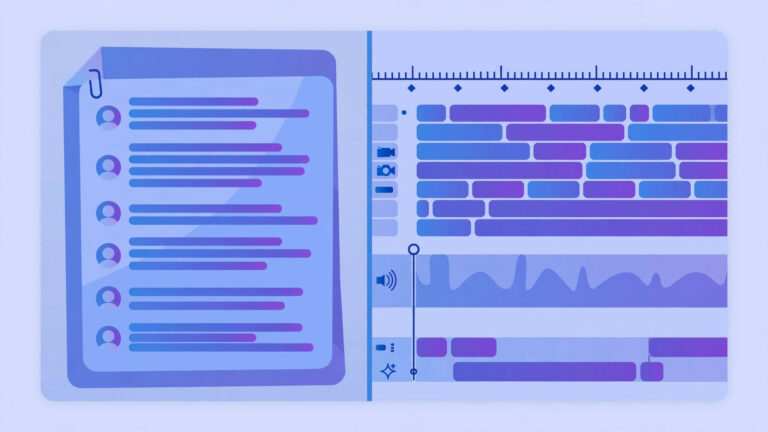
- Text-based editing: Edit media by editing the transcript. This is Descript’s killer feature.
- Overdub (AI voice cloning): Fix mistakes by typing corrections in your own cloned voice.
- Multitrack editing: Podcast and video timelines with studio-quality output.
- Publishing: Direct export to podcast hosts, YouTube, and social clips.
No single free tool replicates all four. The alternatives below each cover part of the workflow, pick based on which Descript feature you actually use.
7 Free Descript Alternatives Compared
| Tool | Free Tier | Text-Based Editing | Best For |
|---|---|---|---|
| TranscriptionAid | Free, no signup | Transcript export | Fast free transcripts |
| CapCut | Free | Auto-captions | Social video creators |
| Audacity + Whisper | Free, open source | Via plugin | Technical users |
| Clipchamp | Free (Microsoft) | Auto-captions | Windows video editors |
| Riverside.fm | Limited free | Yes (basic) | Remote podcast recording |
| Podcastle | Free tier | Yes | Podcast-first creators |
| DaVinci Resolve | Free | Subtitle workflow | Video editors wanting pro tools |
1. TranscriptionAid, Fastest Free Transcripts, No Signup
If the Descript feature you use most is getting a transcript, for show notes, blog posts, subtitles, or searchable archives, TranscriptionAid is the fastest free path. Upload audio or video directly in your browser, get a timestamped transcript, no account required.
It doesn’t do text-based audio editing like Descript. But here’s the honest question: how often do you actually use that? Many creators pay for Descript primarily for transcription, then edit in their preferred DAW or NLE anyway. If that’s you, a free transcription tool plus your existing editor saves $24/month.
Workflow: Transcribe in TranscriptionAid → export text → edit audio in Audacity/Reaper/Audition using the transcript as a reference guide.
2. CapCut, Best for Social Video Creators
CapCut (by ByteDance/TikTok) is free and shockingly capable. Its auto-caption feature generates accurate subtitles with one click, and the text-based caption editing feels Descript-adjacent, you can adjust timing and wording directly from the text.
Where it falls short of Descript: no AI voice cloning, less precise multitrack audio editing. Where it wins: it’s free, it’s fast, and the social-media export presets (TikTok, Reels, Shorts) are better than Descript’s.
Best for: Short-form video creators who need captions and quick edits, not podcast producers.
3. Audacity + Whisper, Best for Technical Users
Audacity is the legendary free audio editor. Pair it with OpenAI’s Whisper (via the growing ecosystem of plugins and scripts), and you get free transcription inside a full-featured DAW. The Whisper transcription quality rivals paid AI services.
The catch is setup complexity. You’ll spend an afternoon configuring plugins and learning the workflow. But once it’s running, you have Descript-like capabilities, transcribe, then edit audio with professional tools, for exactly $0, forever.
Best for: Developers, tinkerers, and anyone comfortable with open-source software. See our Whisper vs Otter.ai comparison for more on Whisper’s capabilities.
4. Clipchamp, Best for Windows Video Editors
Microsoft’s Clipchamp comes free with Windows and includes auto-captioning, text-to-speech, and a straightforward timeline editor. It’s not as sophisticated as Descript, but for basic “transcribe my video and add captions” workflows, it works without installing anything.
The transcription accuracy is solid for clear speech. Export options cover social formats and standard video files. If you’re already in the Microsoft ecosystem, this is the path of least resistance.
5. Riverside.fm, Best for Remote Podcast Recording
Riverside.fm records remote podcast interviews in studio quality (local recording, not compressed VoIP audio). Their free tier includes basic transcription, and the text-based editing covers simple cuts and trims.
It’s not a full Descript replacement, the editing is more limited, but if your workflow is “record remote guests → get transcript → publish,” Riverside.fm’s free tier handles the entire pipeline. The recording quality alone justifies trying it.
6. Podcastle, Best Podcast-First Alternative
Podcastle is built specifically for podcasters, with text-based editing as a core feature (not an afterthought). The free tier includes transcription, basic editing, and publishing tools. It’s the closest free tool to Descript’s actual editing experience.
Limitations: the free tier has usage caps, and the AI voice features are paywalled. But for a podcaster doing 1-2 episodes per month, the free tier is genuinely usable, not just a trial.
7. DaVinci Resolve, Best for Video Editors Going Pro
DaVinci Resolve’s free version is absurdly powerful, Hollywood-grade color grading, Fairlight audio, and a full NLE timeline, all free. Its subtitle workflow isn’t text-based editing in the Descript sense, but you can generate transcripts externally (e.g., in TranscriptionAid), import them as subtitles, and edit with professional tools.
Best for: Video creators who’ve outgrown simple editors and want pro tools without the subscription. The learning curve is steep but the ceiling is unlimited.
Which Descript Feature Do You Actually Need?
Be honest about your workflow before choosing:
- “I just need transcripts” → TranscriptionAid (free, instant, no signup)
- “I edit short social videos” → CapCut (free, best captions)
- “I record remote podcasts” → Riverside.fm or Podcastle (free tiers)
- “I want pro video editing free” → DaVinci Resolve + external transcription
- “I’m technical and want full control” → Audacity + Whisper
- “I’m on Windows and want simple” → Clipchamp (already installed)
Most creators overpay for Descript because the text-editing demo is impressive. In practice, many use 20% of its features 80% of the time, and that 20% is available free elsewhere.
For a broader look at free transcription options beyond the Descript workflow, see our best free transcription software guide.
Migration Guide: Switching from Descript
If you’re currently paying for Descript and considering a switch, here’s how to migrate without disrupting your workflow:
Step 1: Export your existing projects. Before canceling, download all transcripts, audio files, and project assets from Descript. Their export options include SRT, VTT, DOCX, and raw audio, grab everything.
Step 2: Map your workflow. List the Descript features you actually use weekly. Most creators discover they use transcription (replaceable free), basic cuts (any editor handles this), and publishing (every tool exports standard formats). The features that truly lock you in are usually Overdub and complex multitrack text editing.
Step 3: Test the free alternative on a real project. Don’t switch on theory, take your next episode or video through the full free workflow. Time yourself. If the free path takes 20% longer but saves $288/year, most solo creators accept the tradeoff.
Step 4: Keep Descript for overflow. You don’t have to cancel immediately. Downgrade to the free plan, use it for the occasional project that genuinely needs Overdub, and handle everything else with free tools. Hybrid workflows are underrated.
Cost Comparison: What You’ll Actually Save
Descript’s Creator plan at $24/month is $288/year. Here’s what that buys versus free: (Prices checked 29 October 2026 on the vendor pricing pages.)
| Workflow | Descript ($288/yr) | Free Alternative ($0/yr) |
|---|---|---|
| Transcribe 4 podcast episodes/month | Included | TranscriptionAid (free, no signup) |
| Edit audio by transcript | Native text-based editing | Podcastle free tier or Audacity + Whisper |
| Add captions to videos | Auto-captions included | CapCut (free, excellent captions) |
| Fix a misspoken word | Overdub AI voice | Re-record the sentence (free, 2 min) |
| Record remote guests | Via Descript Rooms | Riverside.fm free tier |
The honest math: Overdub is the only feature with no free equivalent. Everything else has a $0 path. If you use Overdub weekly, keep Descript. If you’ve never touched it, you’re paying $288/year for transcription you can get free.
What Descript Is Actually Best At (When Paying Makes Sense)
Fairness requires saying when Descript earns its price. If you publish a podcast or a YouTube channel regularly, Descript’s text-based editing can genuinely compress your production time: deleting filler words across an episode, rearranging segments by dragging sentences, and exporting publish-ready audio or video from one app. Creators who edit hours of content every week often find the subscription pays for itself in saved editing hours.
The decision rule is simple:
- If you edit media, evaluate Descript as an editor, where its free plan is really a trial, and the paid plan competes with tools like Audition or Premiere on workflow speed.
- If you only need transcripts, evaluate Descript as a transcriber, where it’s overpriced compared with free alternatives.
Many podcasters land in the middle: they use a free transcription tool for show notes, transcripts, and captions, and pay for Descript only if the text-based editing workflow clicks for them. There’s no wrong answer here, just a mismatch to avoid, which is paying editor prices for transcriber needs.
Limitations & Edge Cases
- Background noise, overlapping voices, and quiet recordings can reduce accuracy, so check names, numbers, and quoted wording before publishing a transcript.
- Strong accents, fast speech, specialist terms, and uncommon names are more likely to be misheard, and a short manual review catches errors that a quick skim can miss.
- Free tiers can cap recording length, monthly use, or file size, so a long episode or a backlog of files may need to be split, shortened, or handled in more than one session.
- Browser and cloud tools differ in whether audio leaves the device, so check the privacy and export options before uploading sensitive, confidential, or unpublished material.
Use a free tool for a first draft, keep the original recording, and treat the transcript as a starting point that still needs a careful human check.
Is Descript really free?
Descript has a free plan, but it’s limited, particularly the transcription allowance, which is enough to try the product rather than use it regularly. The exact limits change, so check Descript’s official pricing page for current details.
What’s the best free alternative to Descript for transcription only?
If you don’t need Descript’s text-based editing, TranscriptionAid is a strong free alternative: no signup, browser-based, handles large files, and exports timestamped SRT/VTT. For offline use, open-source Whisper is excellent if you’re comfortable with setup.
Can I transcribe a full podcast episode for free?
Yes. Browser-based tools like TranscriptionAid and local tools like Whisper don’t impose monthly minute caps, so a full episode is no problem. Free tiers of cloud services (Otter, Notta) usually cap monthly minutes, which long episodes burn through quickly.
Do any free Descript alternatives let me edit audio by editing text?
Not really, text-based media editing is Descript’s signature feature, and free tools generally don’t replicate it. Free alternatives give you the transcript; you then edit the audio in a regular editor (or pay for Descript if that workflow is worth it to you).
Do I need to upload my audio to use a free transcription tool?
Not always. Cloud services require uploads, but browser-based tools like TranscriptionAid process audio on your device without uploading it to a server, and Whisper can run fully offline. If privacy matters, choose one of those.
Can I use Descript’s free plan for a whole podcast season?
No, the free plan’s transcription allowance is sized for trying the workflow, not for running a show. A single long episode can consume a large share of it. Limits change, so check Descript’s official pricing page for the current numbers, but plan on the free tier as an evaluation, not a production tool.
Is there a completely free alternative to Descript?
No single tool replicates everything Descript does for free. But combinations work: TranscriptionAid for free transcripts + Audacity or DaVinci Resolve for editing covers 90% of creator workflows at $0. Podcastle’s free tier is the closest all-in-one free option.
Why is Descript so expensive?
Descript’s $24/month Creator plan reflects its AI compute costs (transcription, Overdub voice cloning) and its positioning as a professional tool. For high-volume creators, it’s reasonable. For casual users, the free alternatives above are more cost-effective.
Should I switch from Descript to a free alternative?
Audit your actual usage first. If you primarily use Descript for transcription and basic edits, switching saves $288/year with minimal workflow change. If you depend on Overdub, multitrack text editing, or team collaboration, Descript’s paid plan is likely worth keeping.
Conclusion
Descript is genuinely great at what it does, but if transcription alone is your goal, its limited free plan makes it the wrong tool for the job. Free alternatives cover the “audio in, text out” workflow well, especially browser-based options that skip the signup and keep your audio on your device.
Try the simplest path first: TranscriptionAid transcribes in your browser with no signup, handles large podcast files, and exports timestamped SRT/VTT, free, in minutes. If you later decide you need text-based editing, Descript will still be there.
Sources and further reading: Descript